AI That Teachers Trust
How we turned Bruukki's early AI prototype into a material editor where teachers stay in charge, and cut material creation time by up to 87%.
Setting the Scene
Imagine you teach history at Rockwood High. Next week your lower secondary class starts on the American Civil War, and it's Sunday evening.
You already have most of the pieces. Last year's test, saved as a PDF. A quiz living somewhere in Moodle. A handout a colleague shared three years ago. None of them quite fit this group, and none of them fit each other.
So you start rebuilding. An introduction pitched at the right reading level. A vocabulary list with definitions and example sentences. A fill-in-the-blank on key dates, with an answer key that accepts the answers students actually give. A listening exercise for the students who struggle with reading.
One Bruukki teacher put a number on it: a single teaching unit took six hours. Multiply that by every unit in a school year.
That's the evening Bruukki set out to give back to teachers, and the challenge we took on alongside their team.
A Promising Engine, a Rough Draft Around It
When Bruukki came to us, the AI was a rudimentary, roughly drafted prototype, built quickly to prove the idea. It could write a text or a word list, but there was little product around it yet.
The obvious next step was the one every AI product demos. Instant document generation. Type "Civil War test, lower secondary", press a button, get a finished material.
We cut it.
It would have demoed well, but it didn't match how teachers work.
Teachers often start from material they already have, things they've used with classes before, and they build a unit one piece at a time. A text, then the exercises that test it, then the easier variant for the student who needs it.
A fully generated document skipped all of that. Worse, it handed teachers a stranger's work to proofread, top to bottom, before any of it could go in front of a class.
Starting From What Teachers Already Have
So we flipped the starting point. Instead of a blank prompt, Bruukki begins with the teacher's own material. Upload last year's test as a PDF, or pull materials straight from Moodle or Blackboard, and the AI works from there, proposing new sections grounded in material the teacher already trusts.
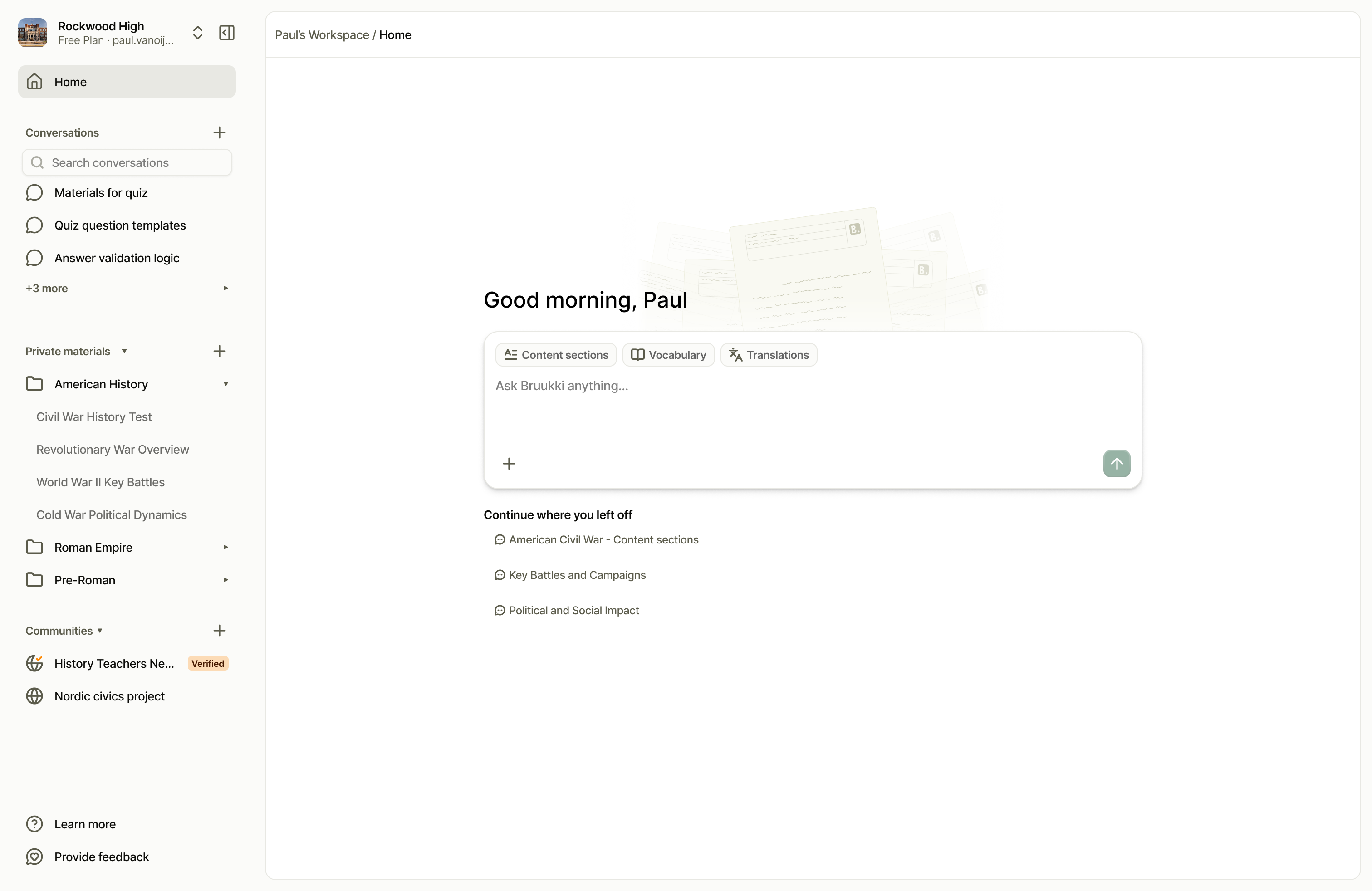
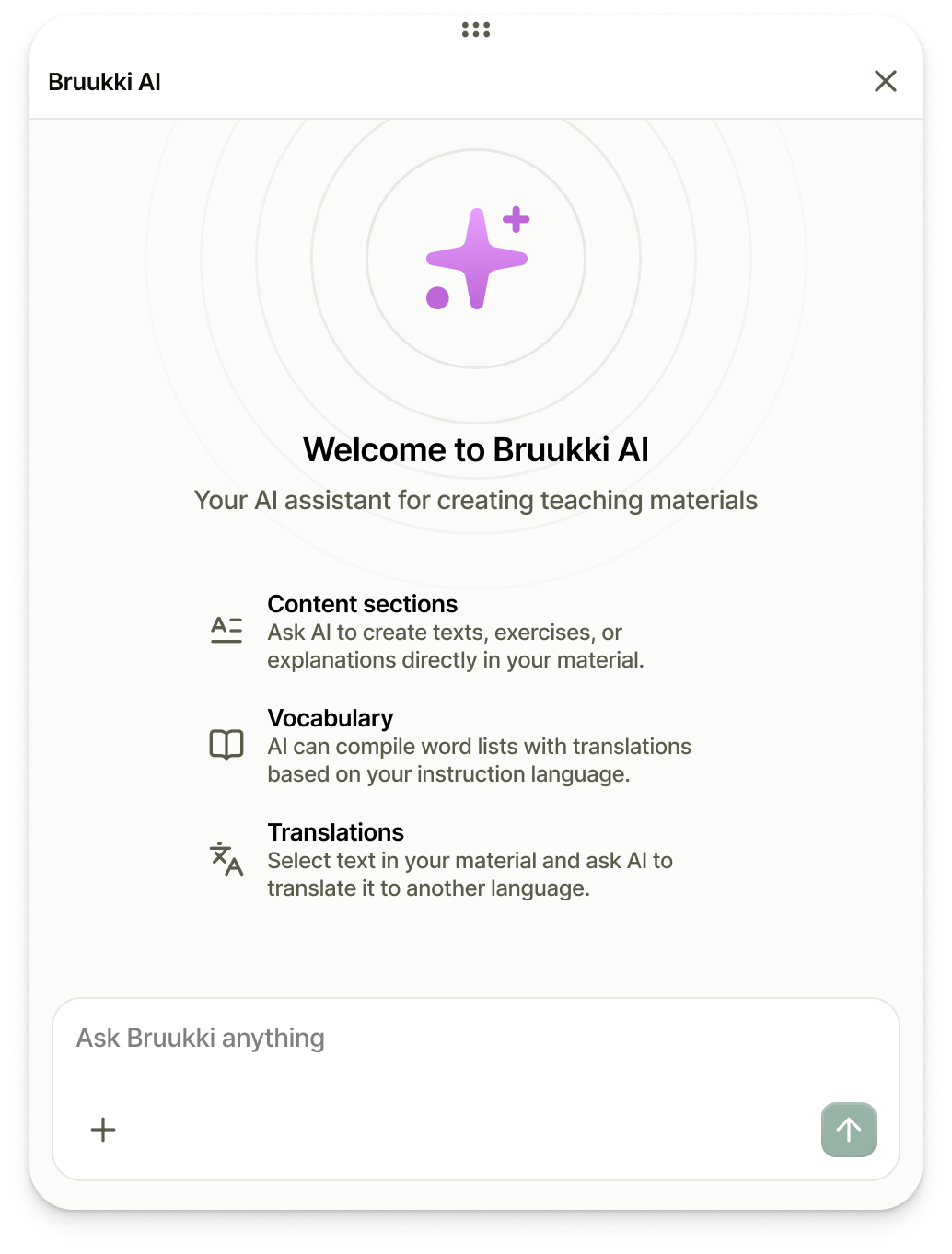
The home screen keeps the entry points narrow on purpose. Content sections, vocabulary and translations are jobs teachers do every week, so the labels use the words teachers already use. Below the composer sit the last few conversations, because a teaching unit is rarely finished in one sitting.
The Material at the Center
The second decision was where the work lives. In most AI tools the chat is the main surface, and whatever it produces scrolls away with it. Teachers care about the material itself: the thing they export to Moodle or print for Monday.
So the material sits at the center, in an editor that feels familiar to anyone who has used a word processor.
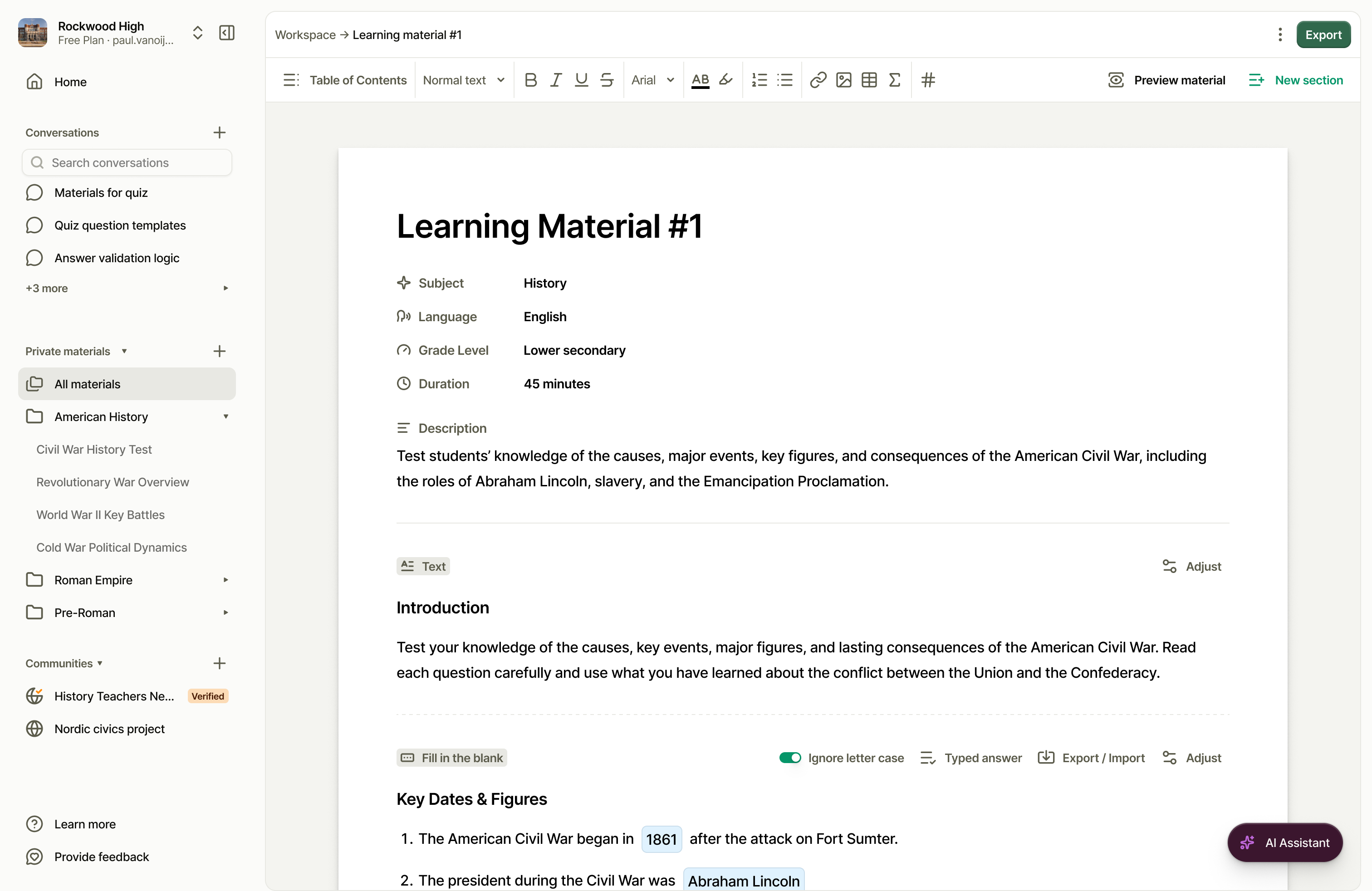
Every material carries its context up front: subject, language, grade level, duration. A colleague opening it knows in a second what it is and who it's for. The AI lives in a floating panel that stays closed until a teacher opens it.
One Anatomy, Many Exercises
A Bruukki material is built from sections, and each section type does one job.
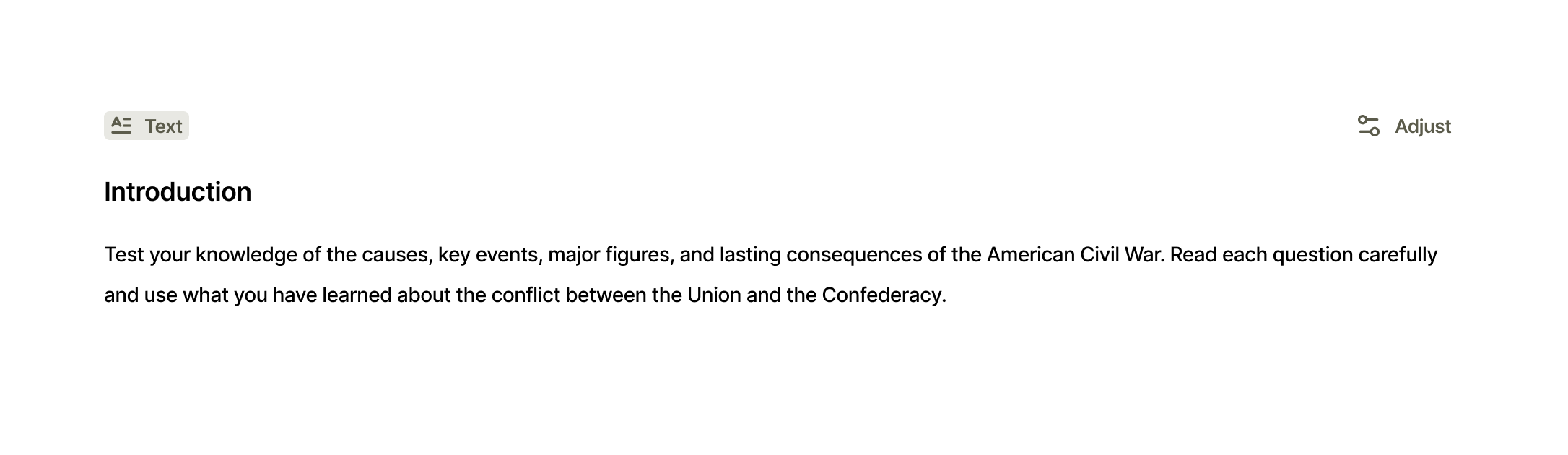
Every section shares the same anatomy. A type label sits in the top left and the exercise's own tools sit along the top right, with Adjust always last. Once a teacher has used one section, the rest work the same way.
That consistency came from the design system and component library we built alongside the screens, so new exercise types can slot in without inventing new interface.
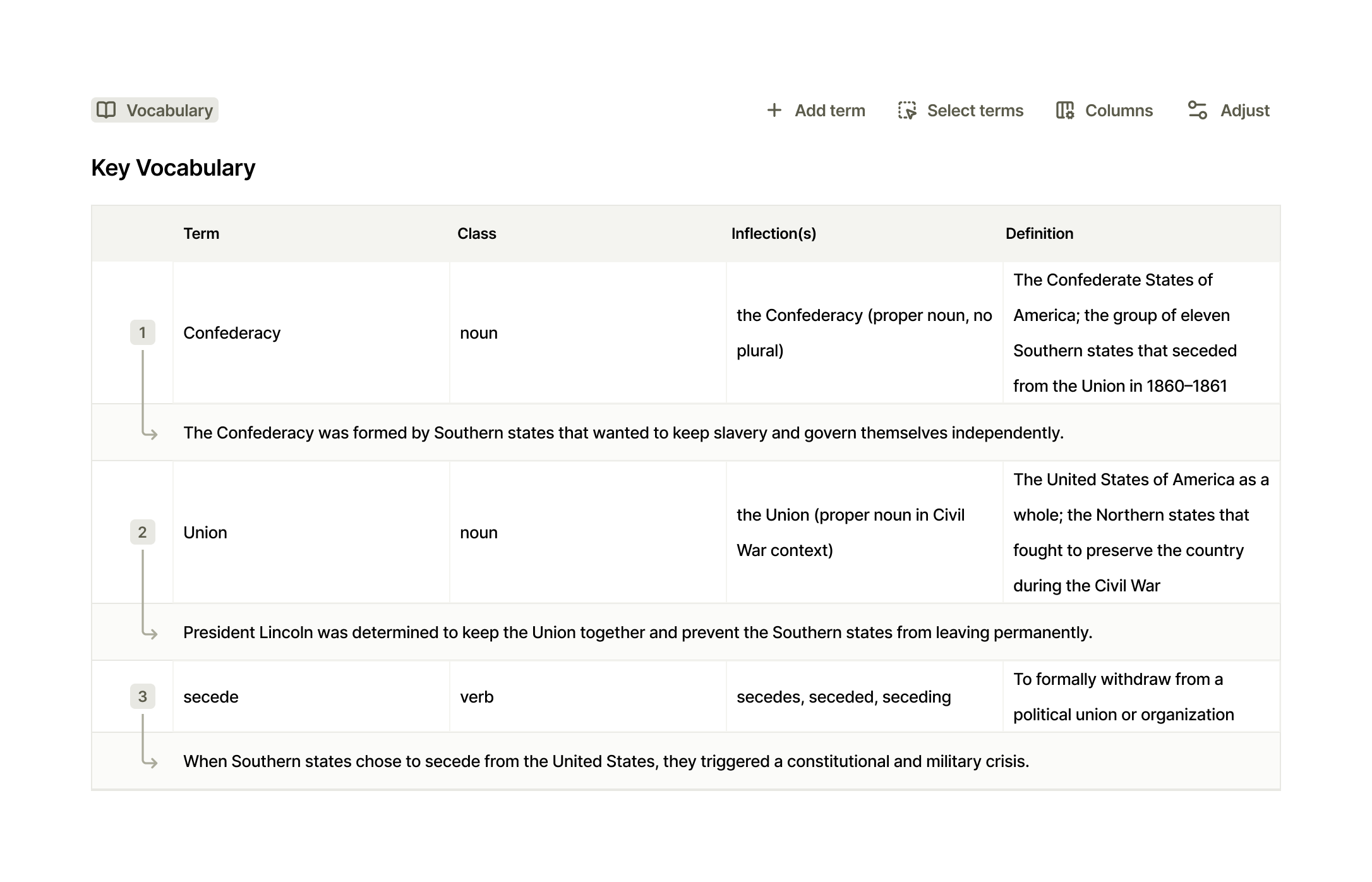
Vocabulary gets the columns a language teacher actually reaches for: word class, inflections, a definition, and an example sentence tucked under every term. Columns can be switched on and off, because a lesson for beginners needs less than one for advanced learners.
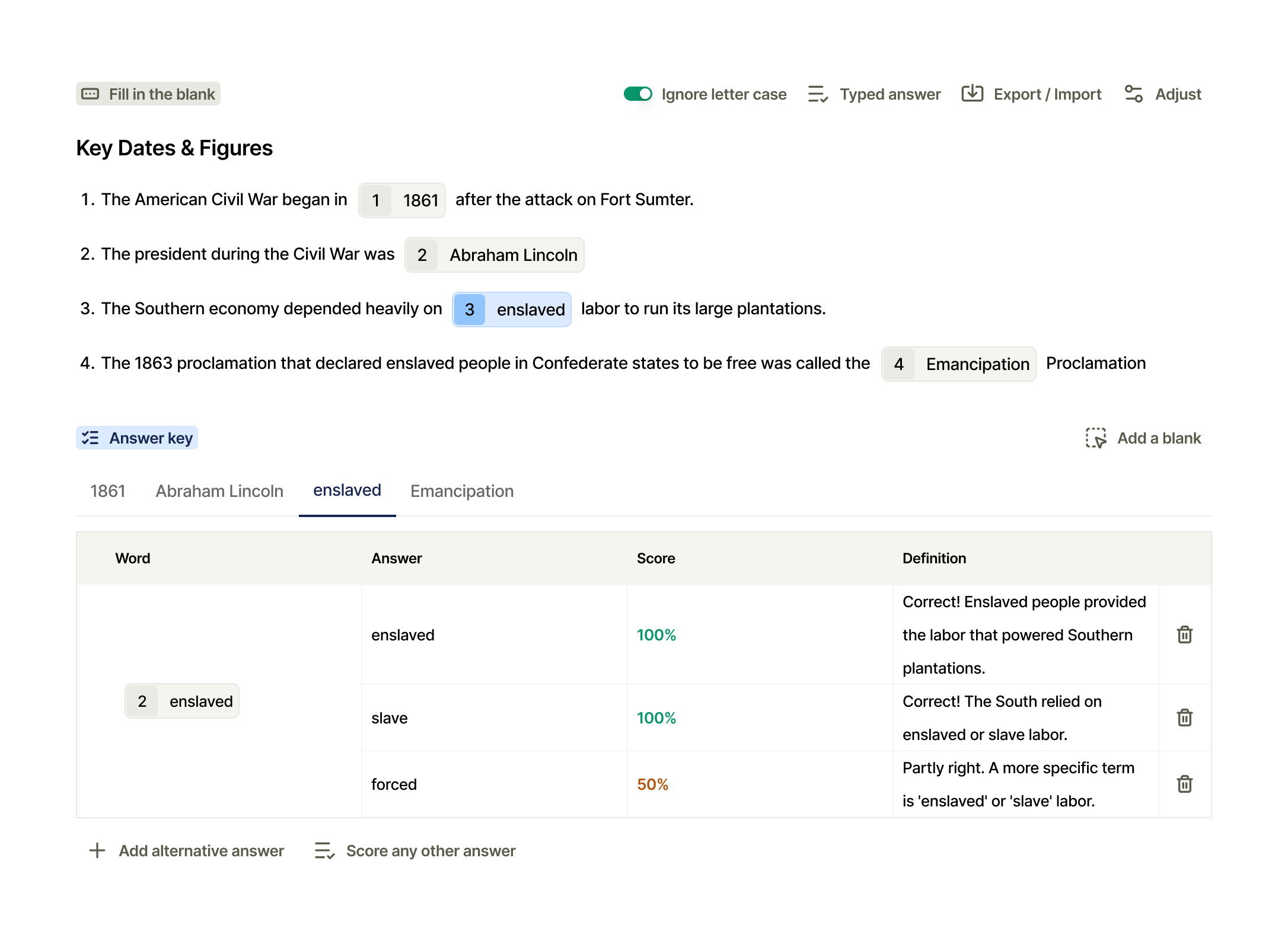
Grading is where the teacher's knowledge of their own students matters most.
They know someone will write "slave" instead of "enslaved", and that's fine. They know "forced" is partly right, and deserves partial credit and a nudge in the right direction. The answer key makes that judgement explicit. Every blank accepts alternative answers, each with its own score and its own feedback. Toggle "Ignore letter case" and capitalization stops costing points.
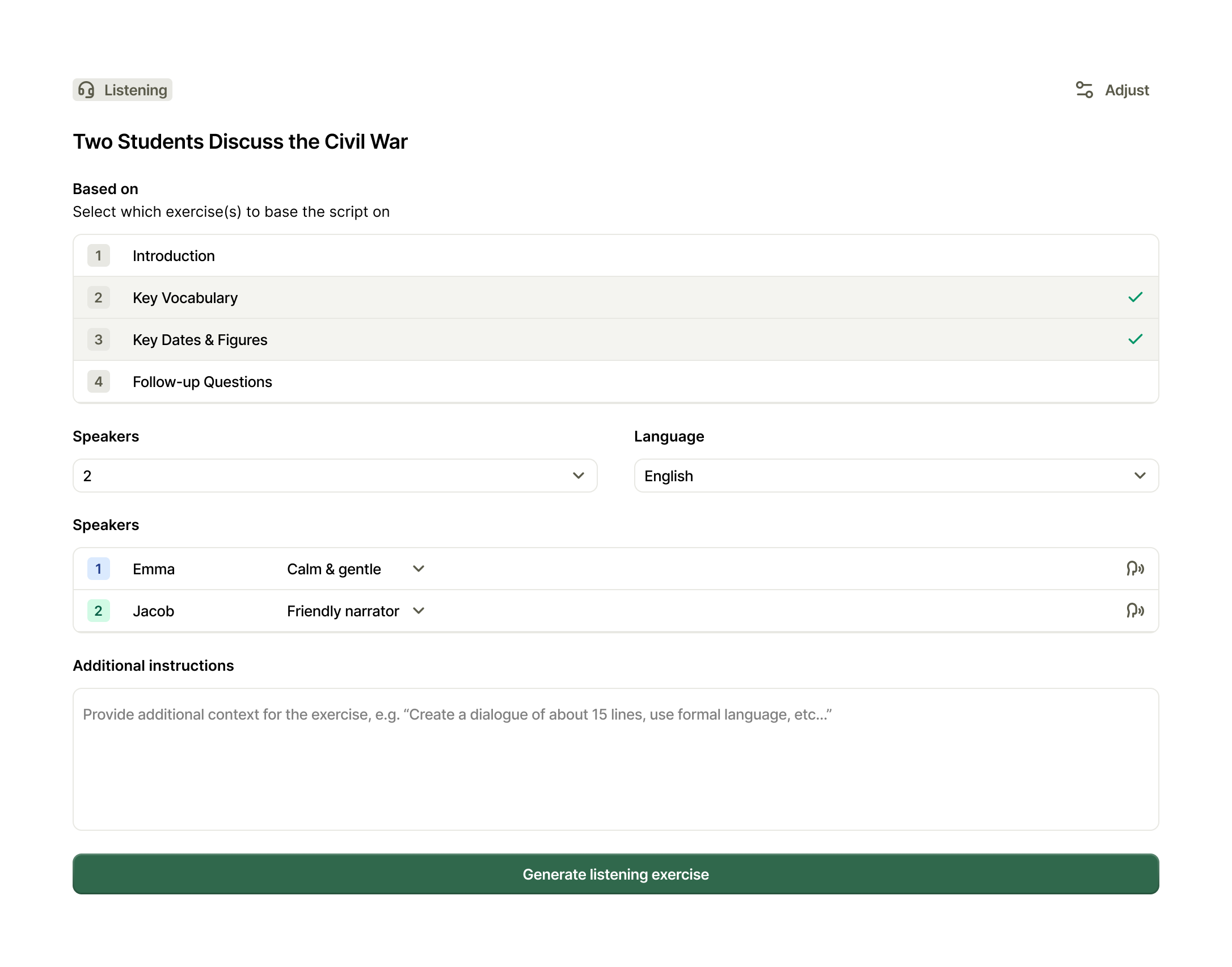
Sections also feed each other. A listening exercise doesn't start from scratch. The teacher picks which sections to base the script on, here Key Vocabulary and Key Dates & Figures, then chooses speakers and voices. In this example the voices are Emma, calm and gentle, and Jacob, a friendly narrator. One click produces a dialogue that rehearses what the rest of the material teaches.
Every Change Is a Suggestion
Bruukki makes teachers a simple promise: the pedagogical decision is always yours. The interface had to keep it.
So the AI never writes straight into a material. Every request moves through four visible states.
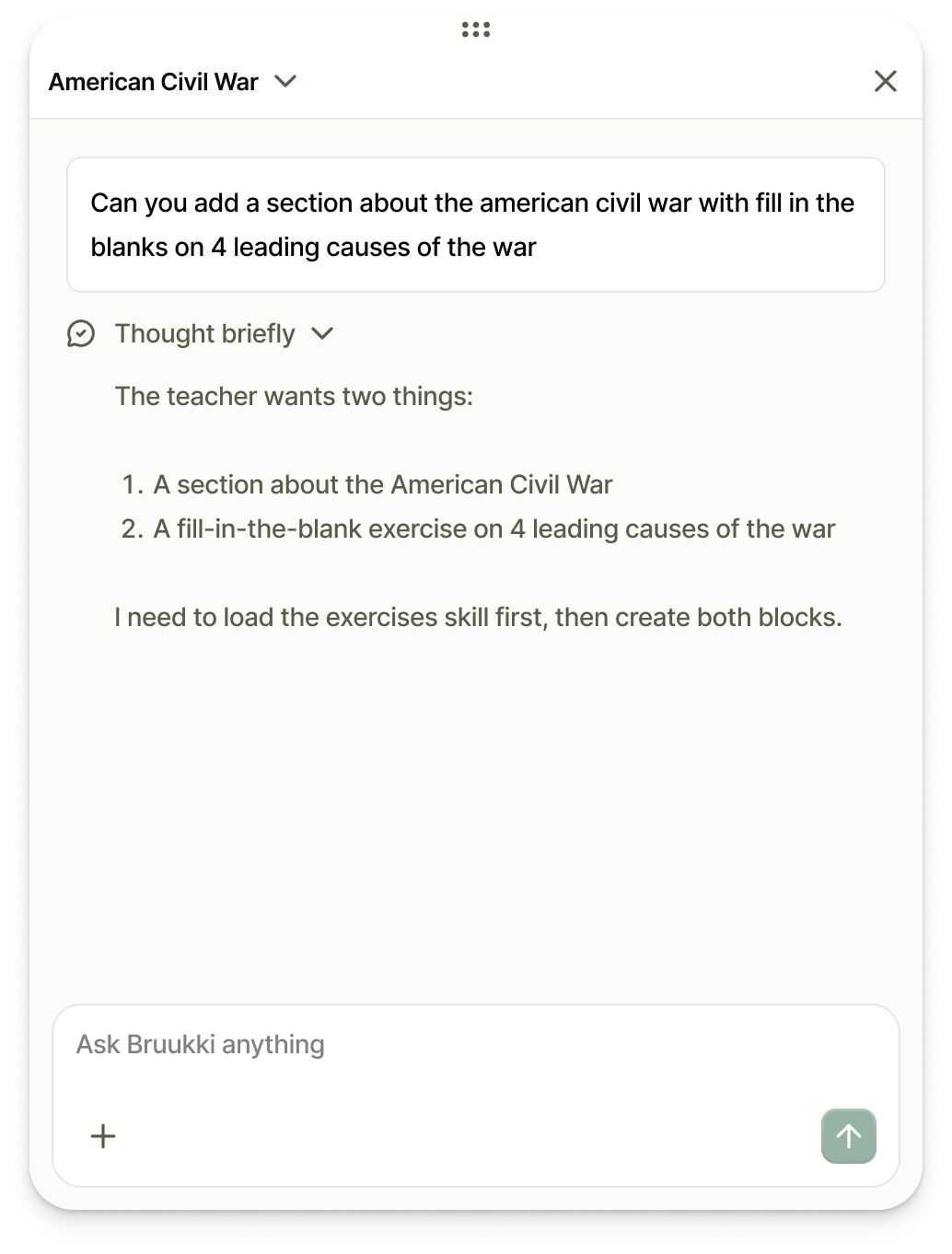
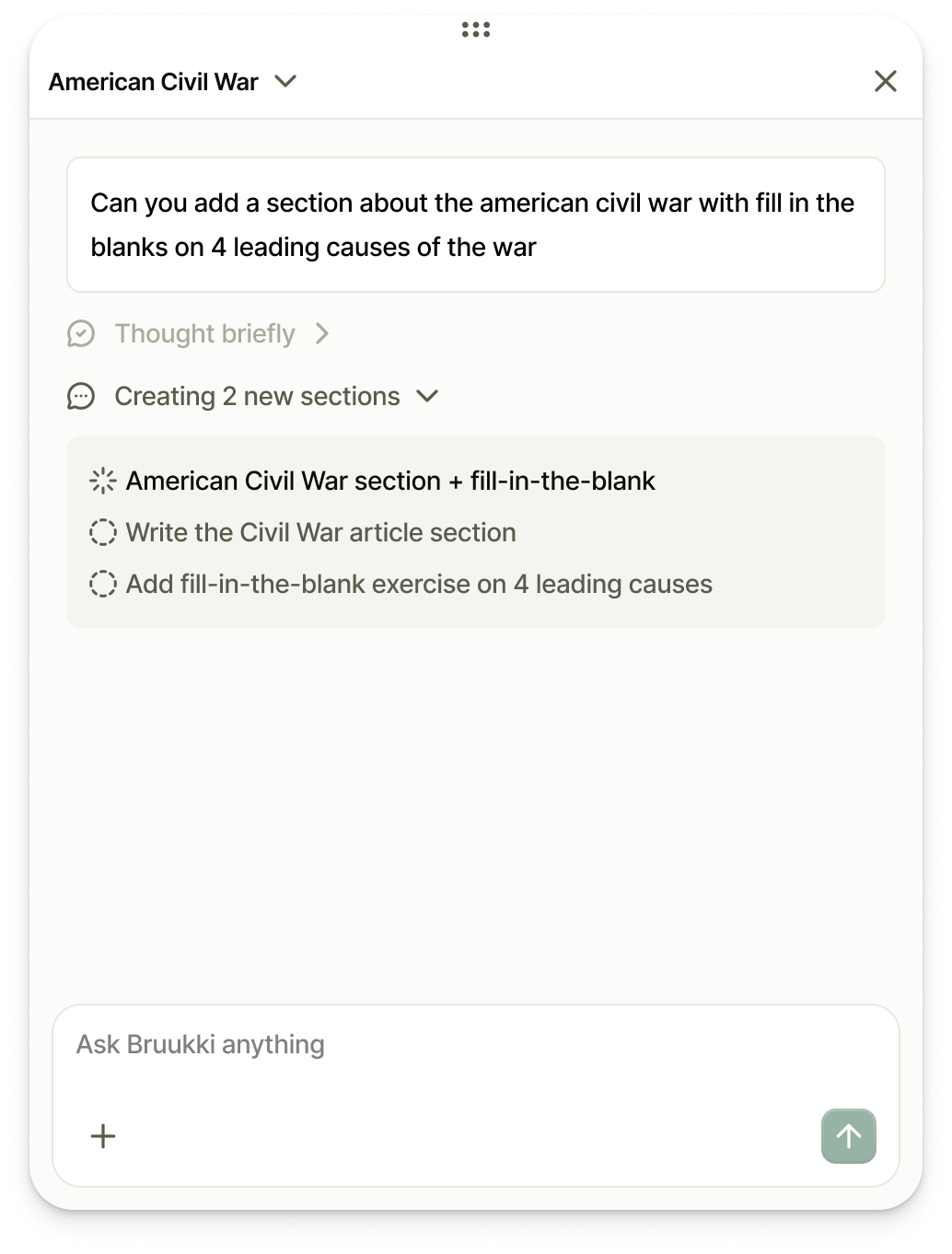
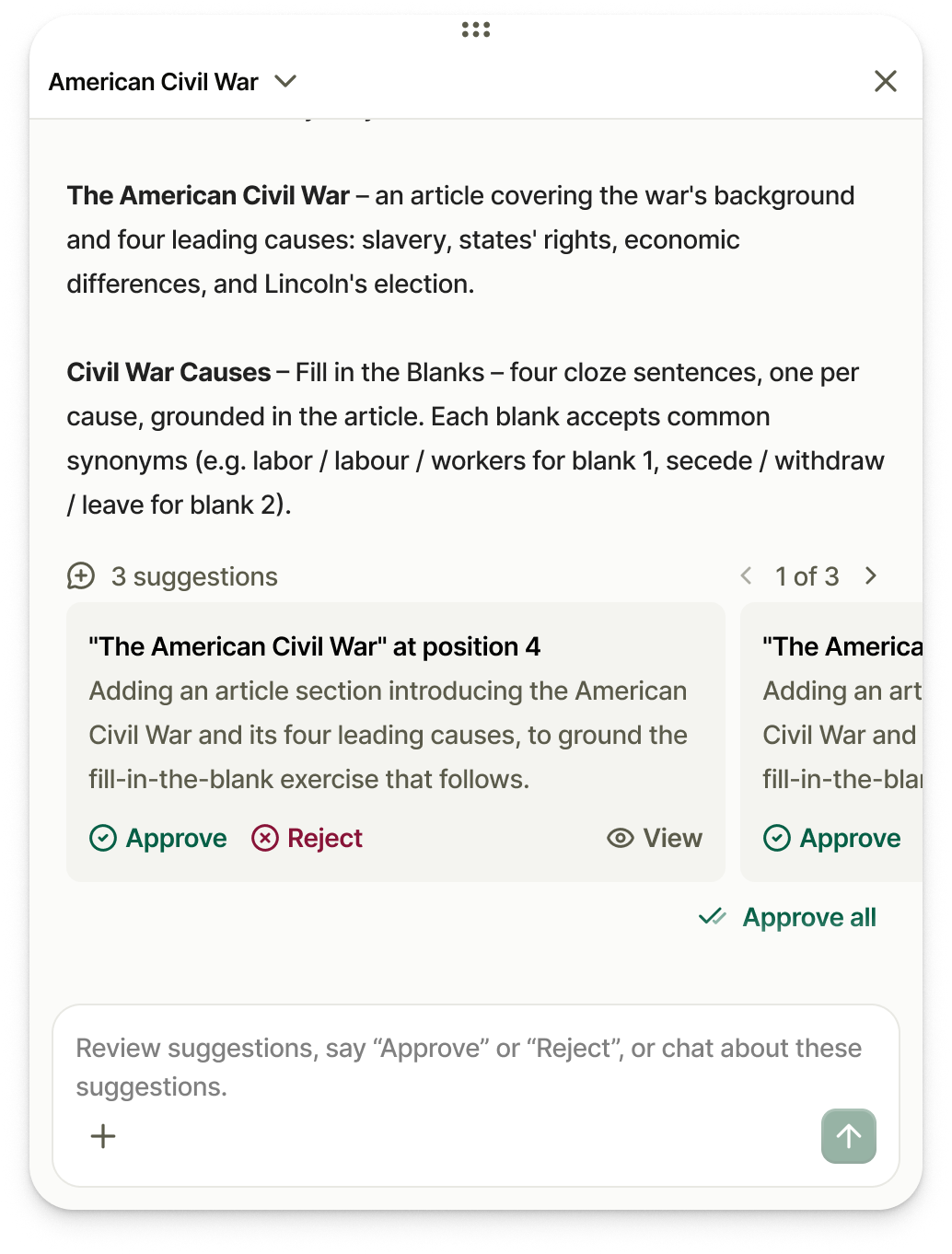
First, the AI restates what it understood, so a misread request gets caught before any work is done. Then it shows its plan as a checklist. Then, instead of a finished document, it returns suggestions.
Each suggestion names what it adds and where it goes: "The American Civil War" at position 4. A teacher can view it in place, approve it, or reject it. Approve all is there for when the AI gets it right, but it's never the only way through.
Nothing lands in a material until a teacher approves it.
Beyond a Single Classroom
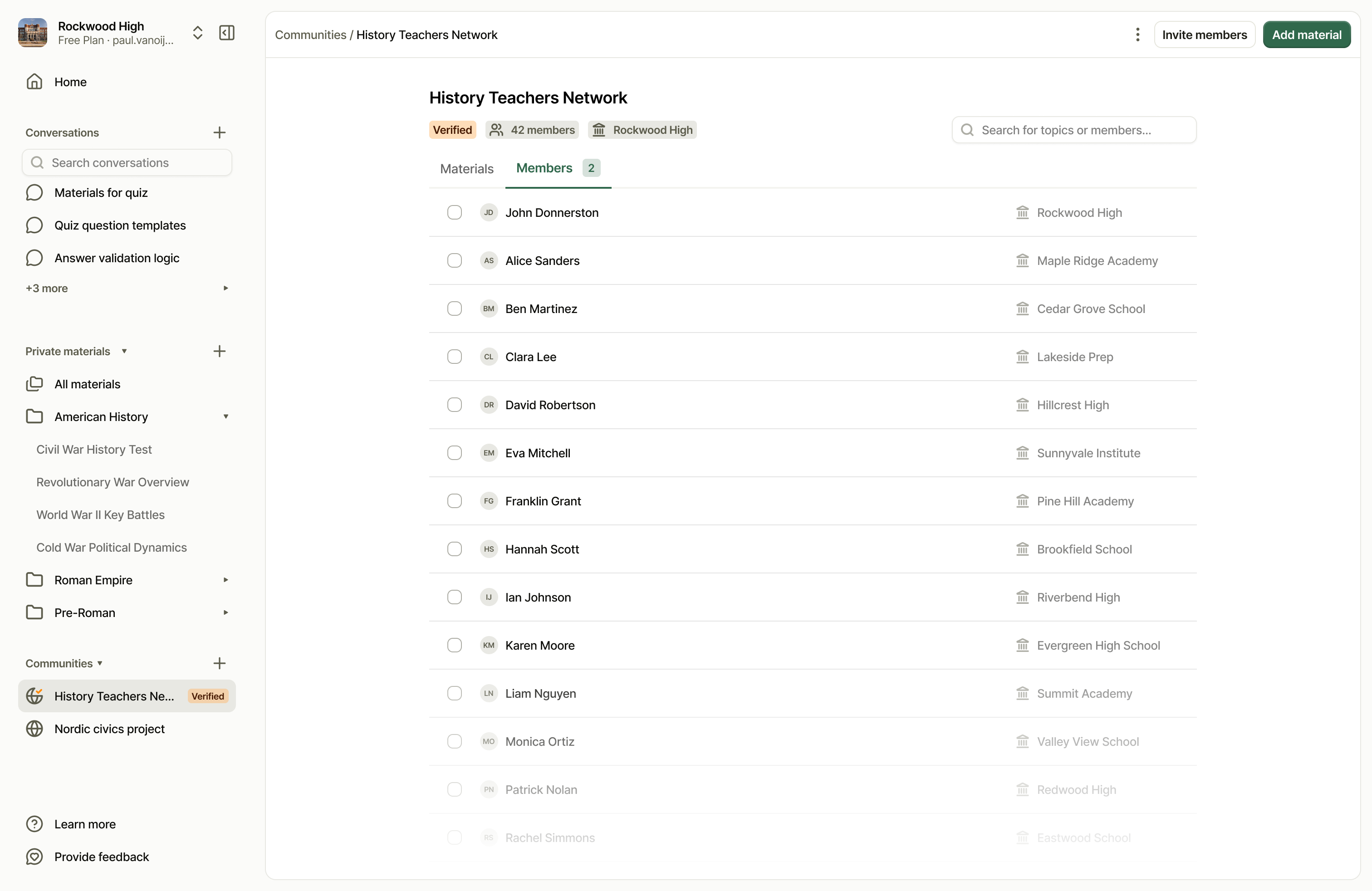
Good material rarely stays with one teacher. Communities let subject teachers share across schools, in networks that can be verified, so a material one teacher spent an evening on becomes a starting point for everyone else.
Measuring Success
For teachers, the metric that matters most is time. The unit that took six hours now takes about one. From uploading existing tests and materials to new content ready for class: under an hour. Across Bruukki's teachers, material creation takes up to 87% less time.
Faster only matters if the material holds up in class. 68% of students rate Bruukki materials higher than their textbook.
Less time spent creating materials
Up to, as reported by Bruukki teachers
Of students rate Bruukki materials higher
Compared with their textbook
What started as a rough sketch of an AI is now the editor teachers at the University of Turku, LUT University, Lapland University of Applied Sciences, Tampere Adult Education Centre TAKK and Ammattiopisto Tavastia build their materials in.
And Sunday evenings got a little shorter.
Our Role
Working closely with Bruukki's team, one Incomparable designer led the UX, UI, design system and the component library behind every section type. Three days after kickoff, the first designs were in review, and improvements were shipping from there. Everything shown in this case study is live in Bruukki today.